Click the menu in the top right corner
Select “Alarm Recipients”
Click + in the top right
Select an existing user or create a new alarm recipient
Choose where the alarm should be sent (email/phone number; push notifications can only be sent to existing users)
Select which type of alarm should be sent (security alarm/function alarm)
Click Save
Swipe left and select the devices the recipient should receive alarms from
Click Save
Done

Swipe the user to the left
Press the blue button
Select the devices this user should receive alarms from
Click Save
Done

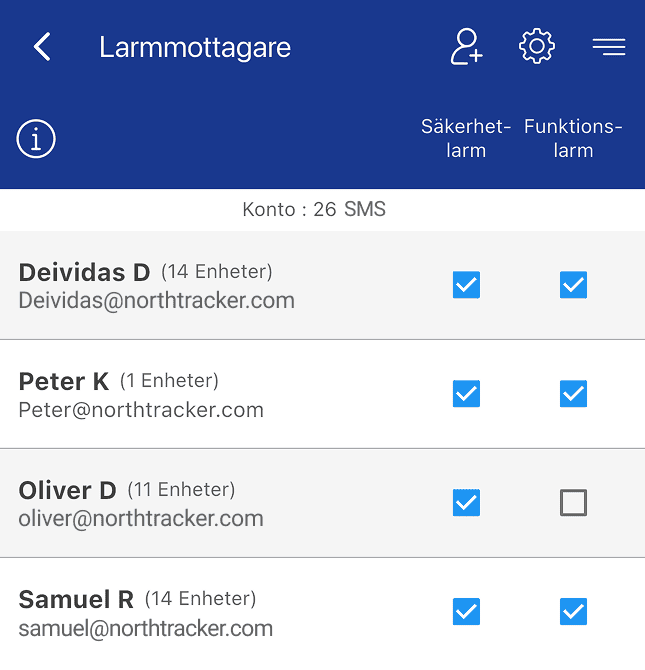
Here you can choose which types of alarms each user should receive.
Swipe right on a row to display two options:
Red button: Delete alarm recipient
Green button: Edit alarm recipient
Swipe left to display a blue button – press it to select which devices that alarm recipient should receive alarms from.



For further questions, contact NorthTracker support:
Tel: +468–25 96 00
Email: info@northtracker.com

By filling in this form, you agree to us processing your data. Read more about how we handle your data here: Link to privacy policy
By filling in this form, you agree to us processing your data. Read more about how we handle your data here: Link to privacy policy